# Blog Pages URL Editing and Old Blog Pages Redirection
If you wanna change old blog url format (**url/\[year\]/\[month\]/\[post-name\])** to the SEO friendly format (**url/blog/\[post-name\])**
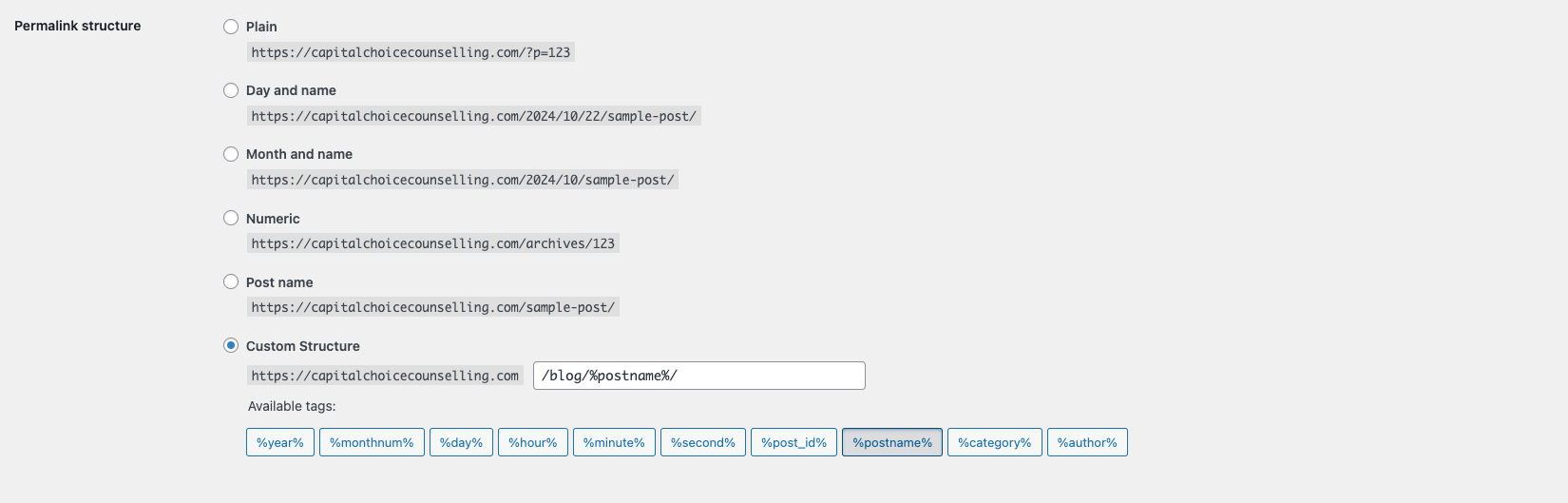
First of all, you need to change the permalink settings to the following: (Settings/Permalink)
[](https://bookstack.webmarketersdev.ca/uploads/images/gallery/2024-10/screenshot-2024-10-22-at-1-21-10-pm.png)
#### !!Please remember to add "/blog/%postname%/" to the custom structure.
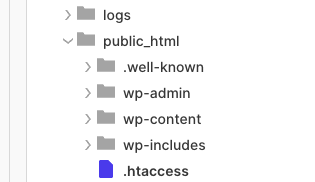
Add the following codes to the .htaccess file located in the following directory:
```
RedirectMatch 301 ^/[0-9]{4}/[0-9]{2}/(.*)$ /blog/$1
```
[](https://bookstack.webmarketersdev.ca/uploads/images/gallery/2024-10/screenshot-2024-10-22-at-1-24-49-pm.png)
Save it
Don't forget to check the old link and ensure that it redirects to the new URL.