LightSpeed Cache (LS Cache)
What is LightSpeed Cache?
LiteSpeed Cache is a free, all-in-one WordPress optimization plugin that delivers powerful server-level caching and performance enhancements. It includes features like image optimization, CSS/JS minification, lazy loading, and support for QUIC.cloud CDN, making it ideal for boosting page speed and Core Web Vitals. While it works best with LiteSpeed Web Server, many of its tools are compatible with other servers like Apache and NGINX.
We only use this for websites hosted on WHC. However, it works well elsewhere too.
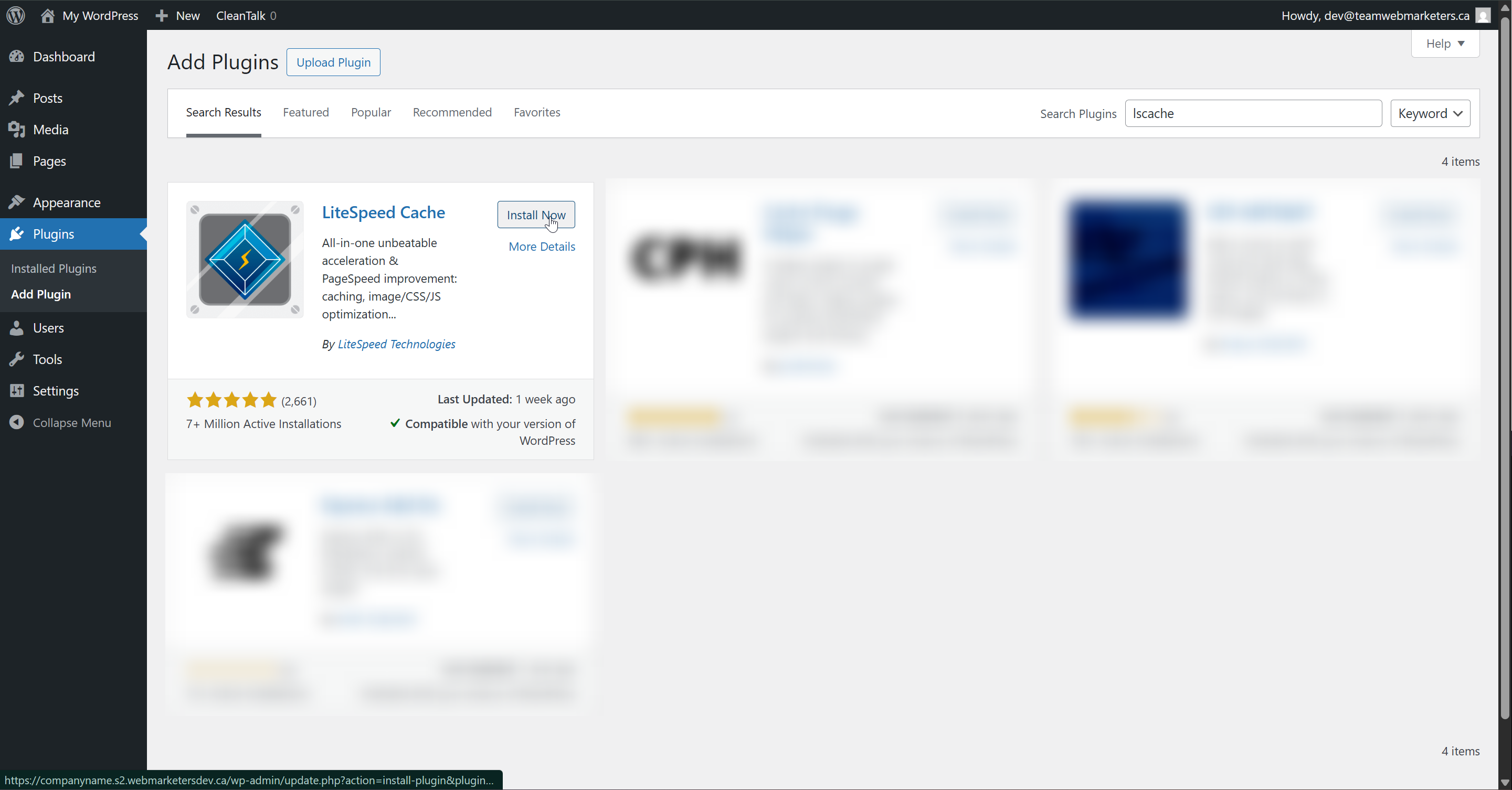
Install & Activate the plugin
Name: LiteSpeed Cache
Author: LiteSpeed Technologies
Here's how we configure the plugin:
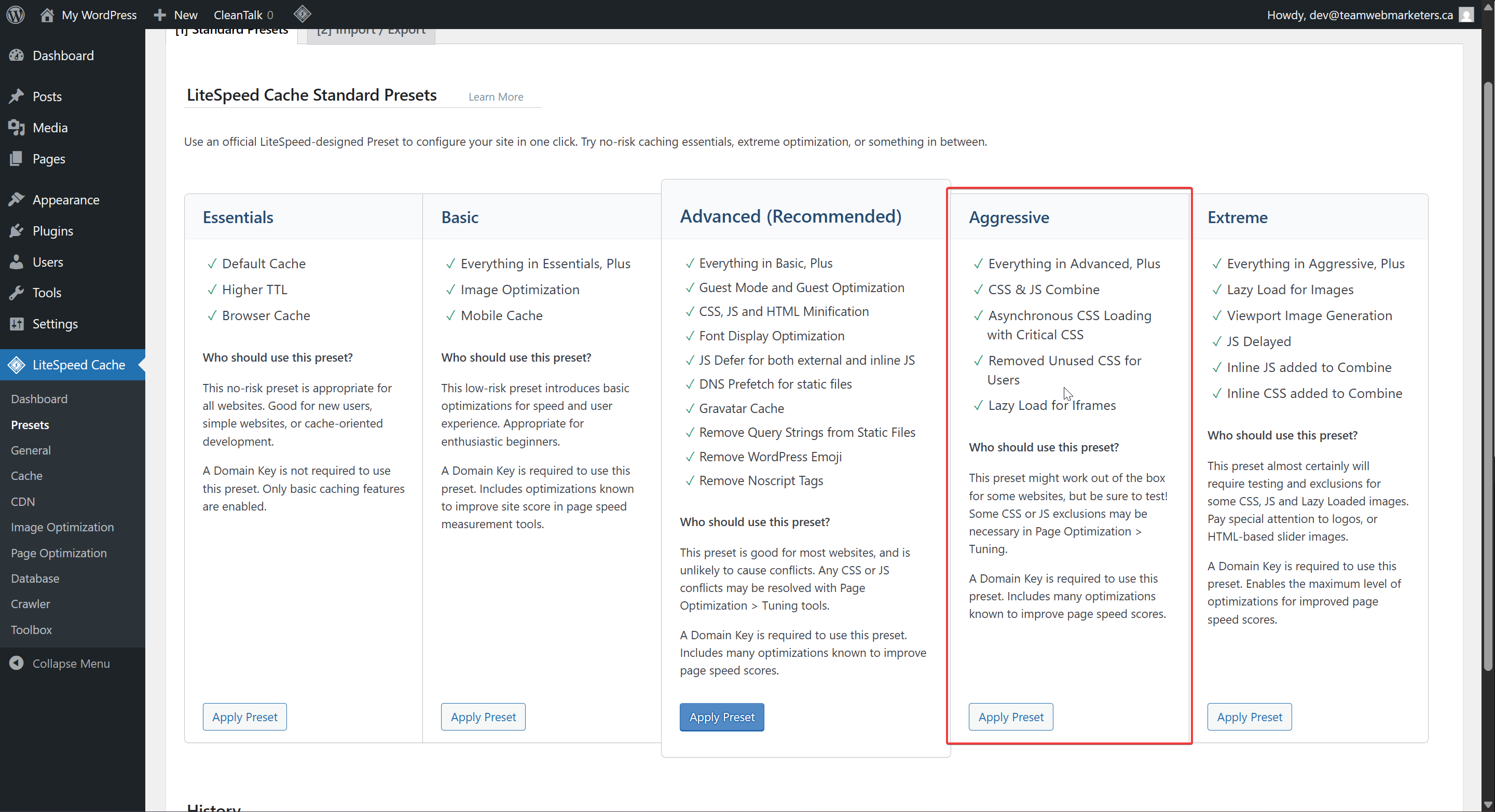
The easiest way to configure the plugin is to head over to the "Presets" tab in the plugin, where you can apply a preset configuration that might suit your needs.
The Aggressive preset is closest to how we would usually configure an optimization plugin. It minifies and combines both CSS & JS, optimizes static files, optimizes images and has a good caching configuration.
If you'd prefer manually setting fewer features, continue scrolling below...
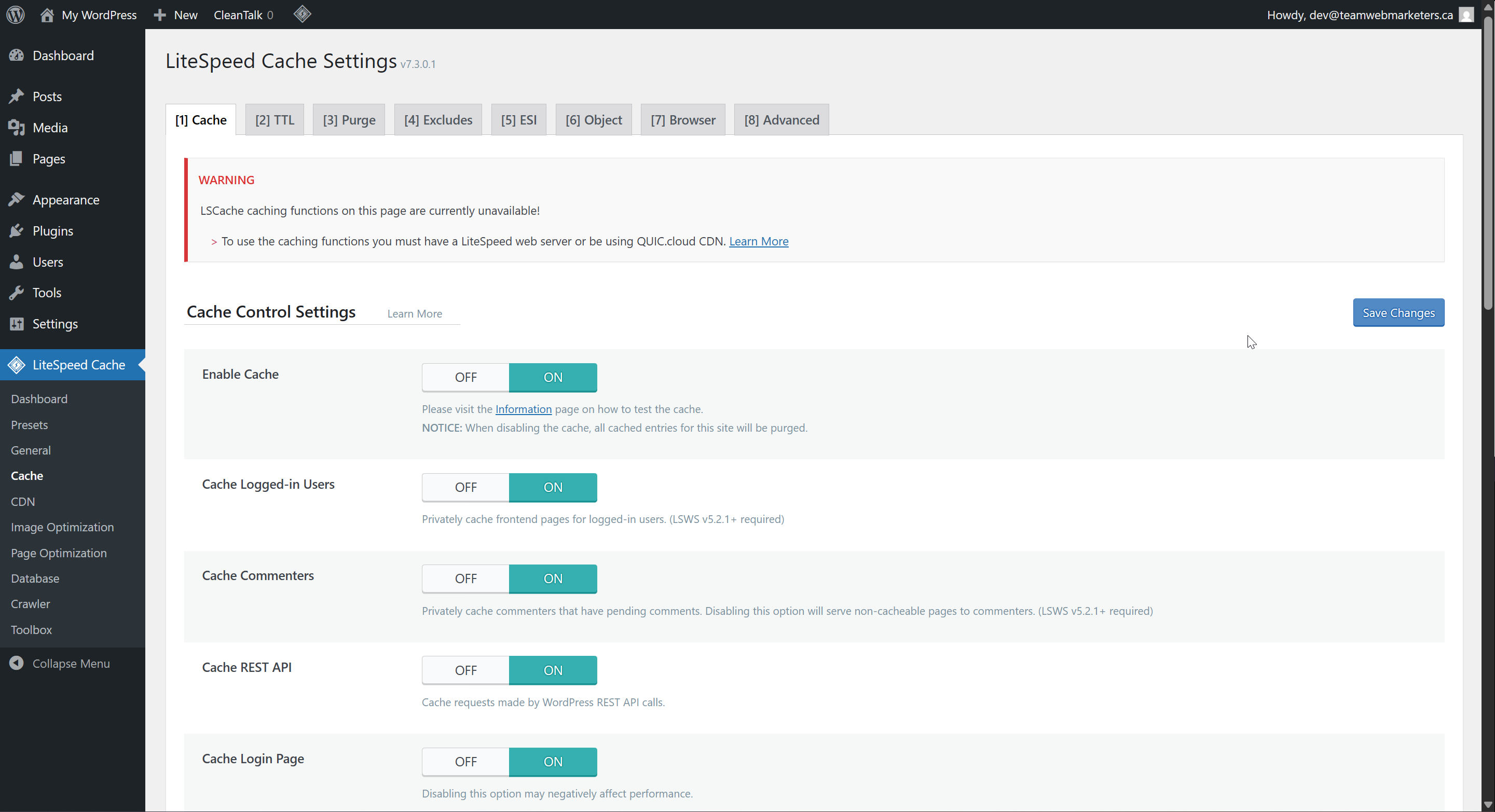
1. Cache
Enable Cache: ON
2. CDN
We don't use this CDN tool. It could be useful, especially with the Cloudflare option, but its not something you need to turn on.
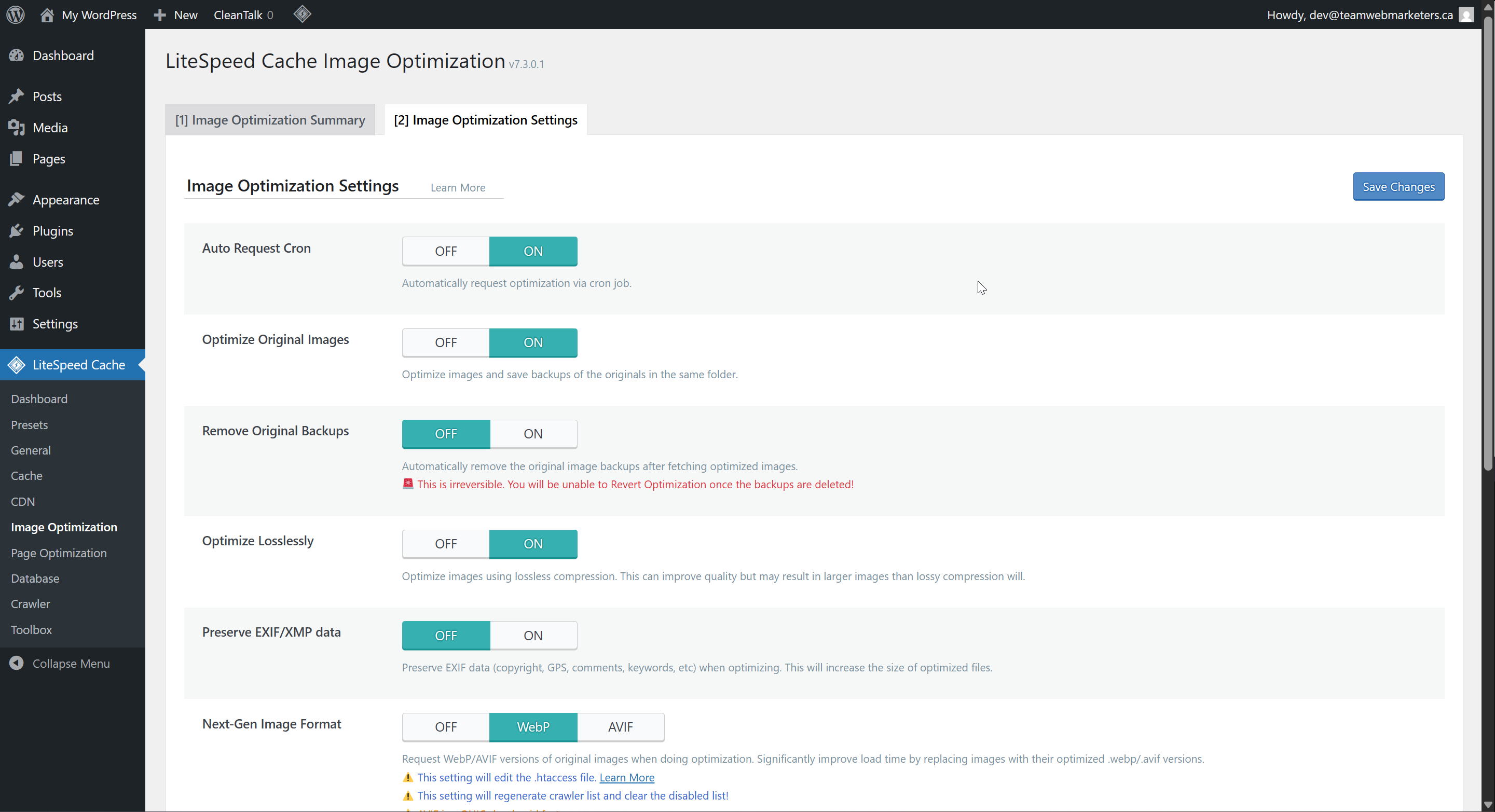
3. Image Optimization
Remove Original Backups: OFF
Optimize Losslessly: ON
Next-Gen Image Format: WebP
4. Page Optimization
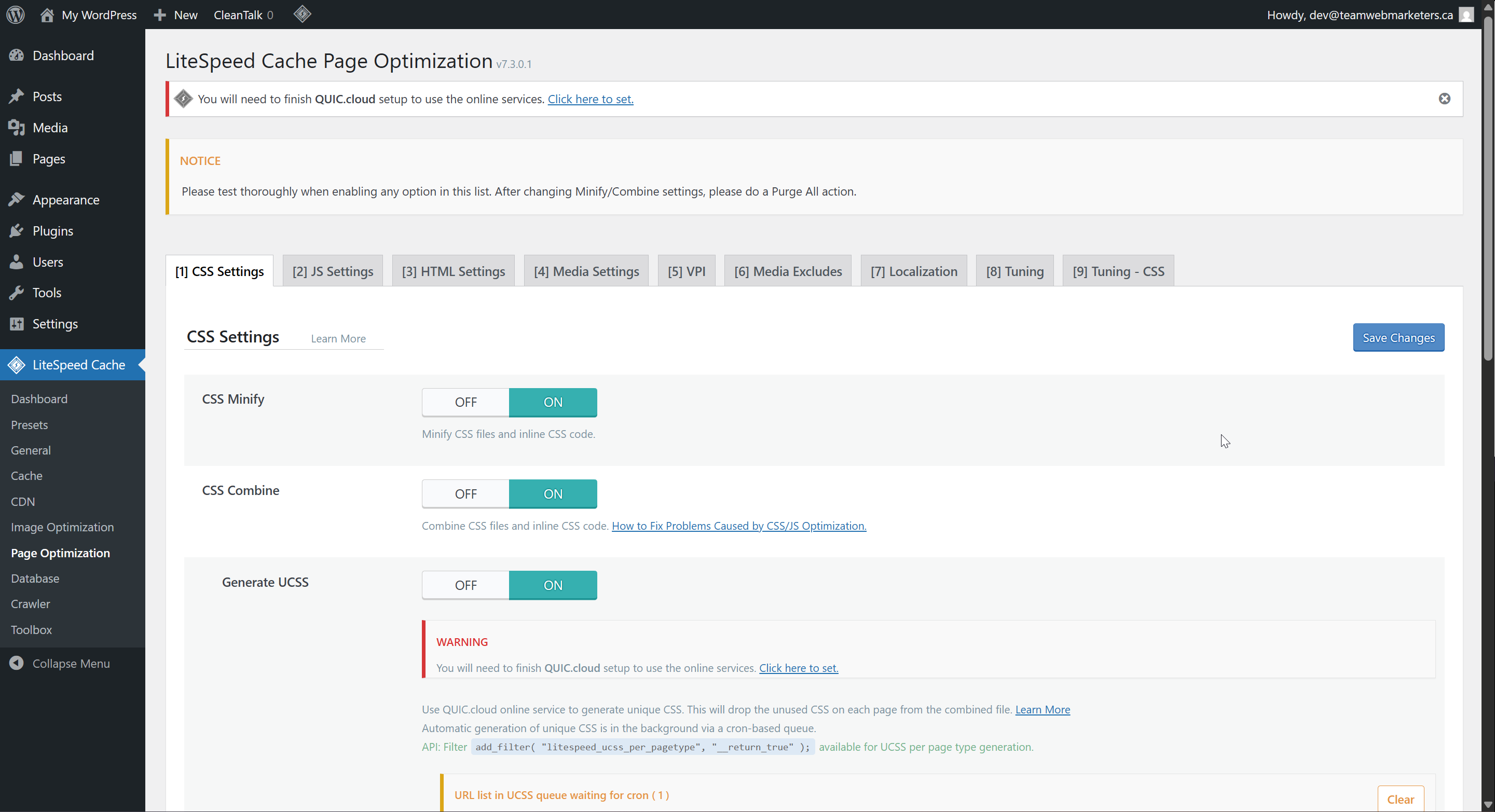
CSS Settings:
CSS Minify: ON
CSS Combine: ON
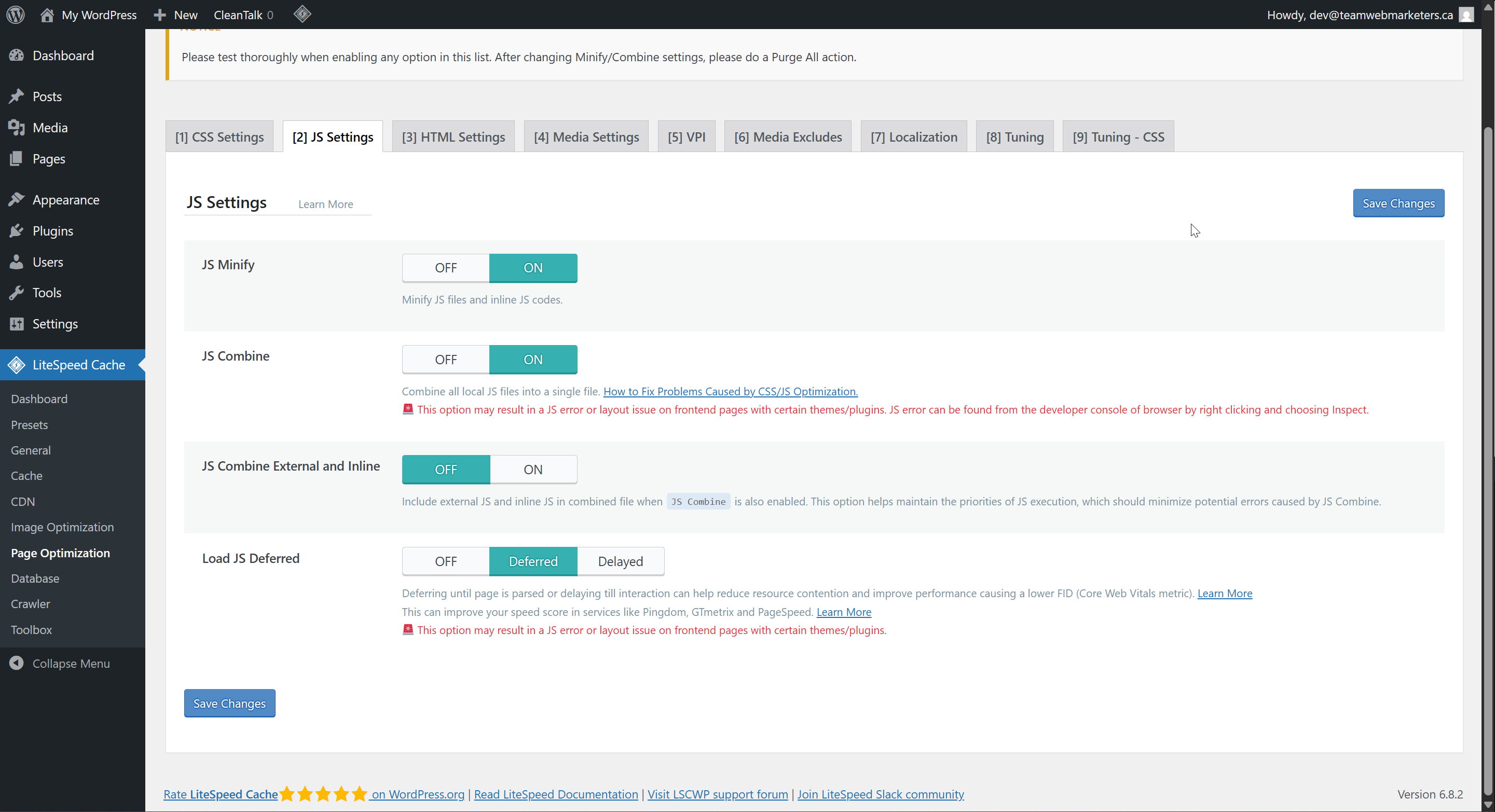
JS Settings:
JS Minify: ON
JS Combine: ON
Load JS Deferred: Deferred
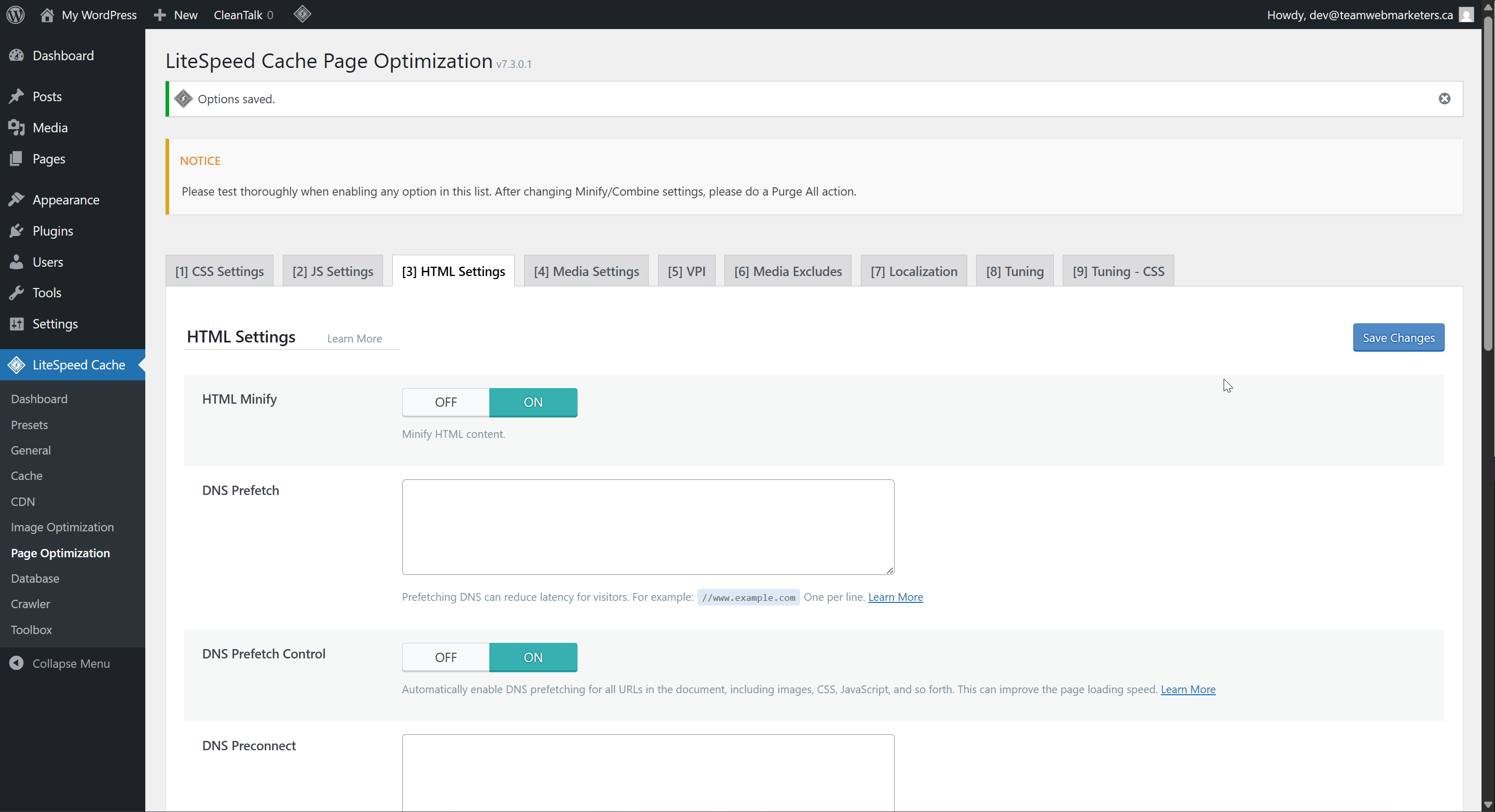
HTML Settings:
HTML Minify: ON
Remove Query Strings: ON
DNS Prefetch Control: ON
Remove Noscript Tags: OFF
5. Database
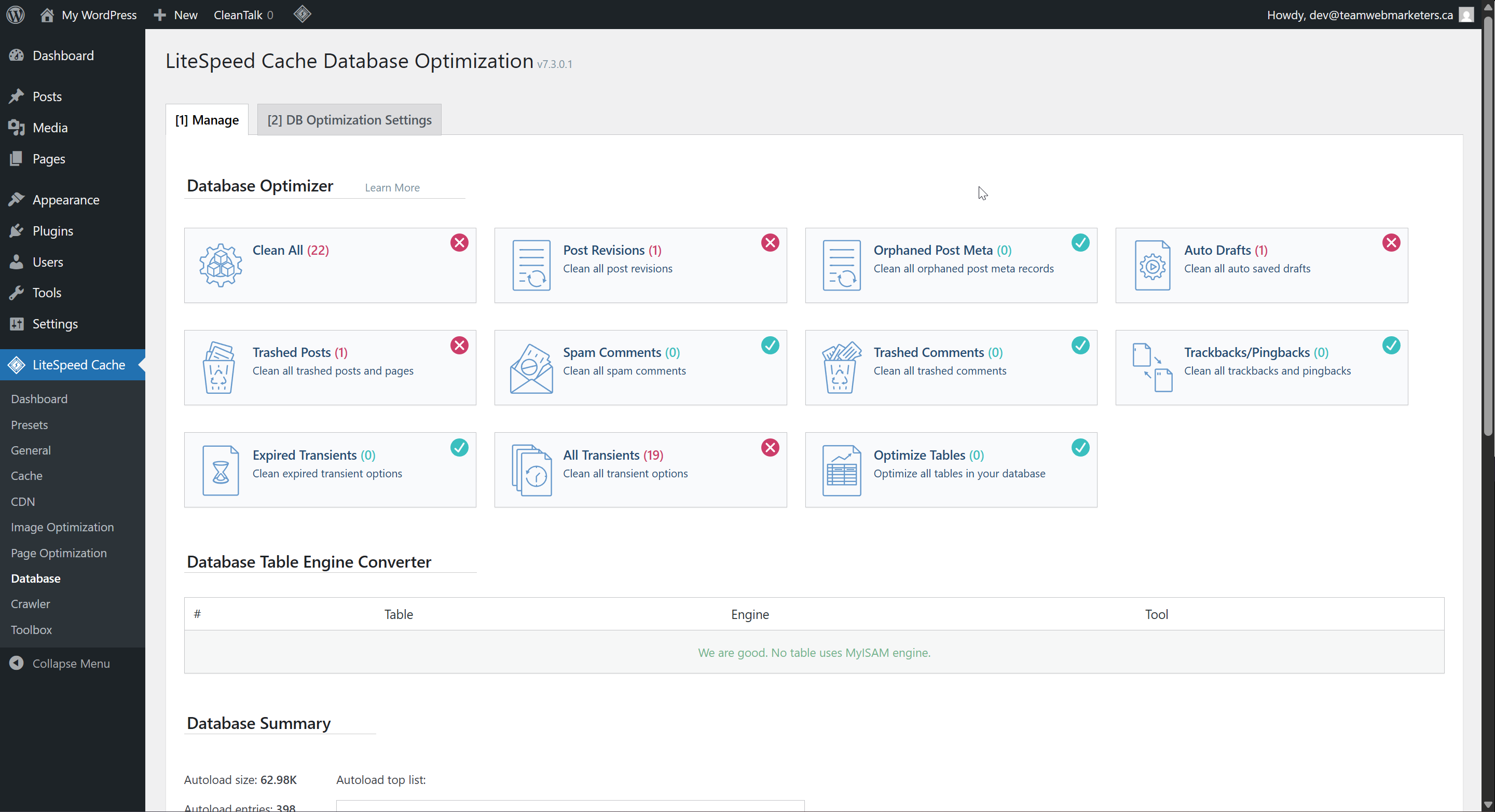
Manage
The database options are mostly for reactively cleaning databases once they're bloated. If you ever need to do one-time database cleanup, this is a great tool.
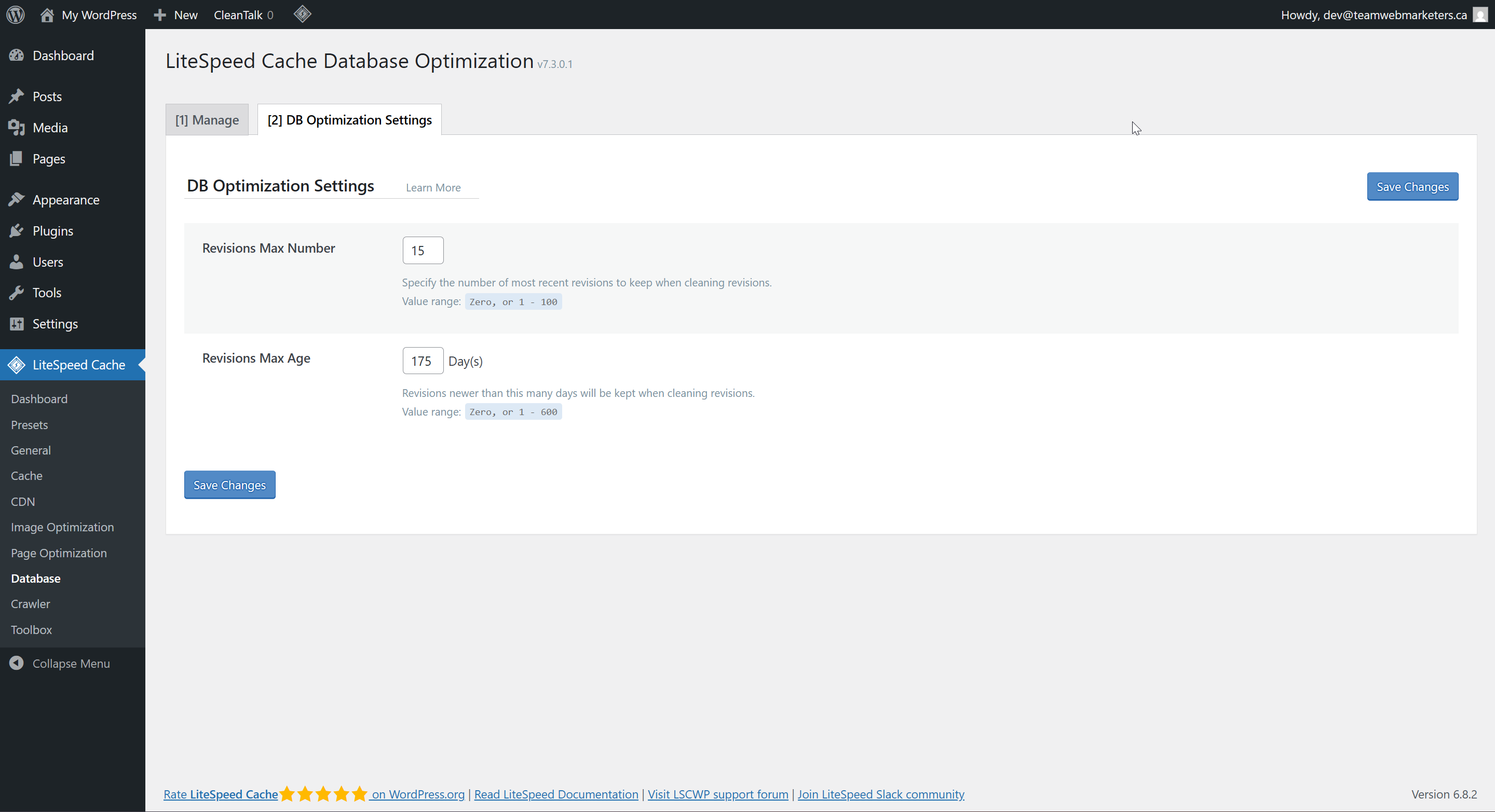
Optimization Settings
Revisions Max Number: 15
Revisions Max Age: 175 Days
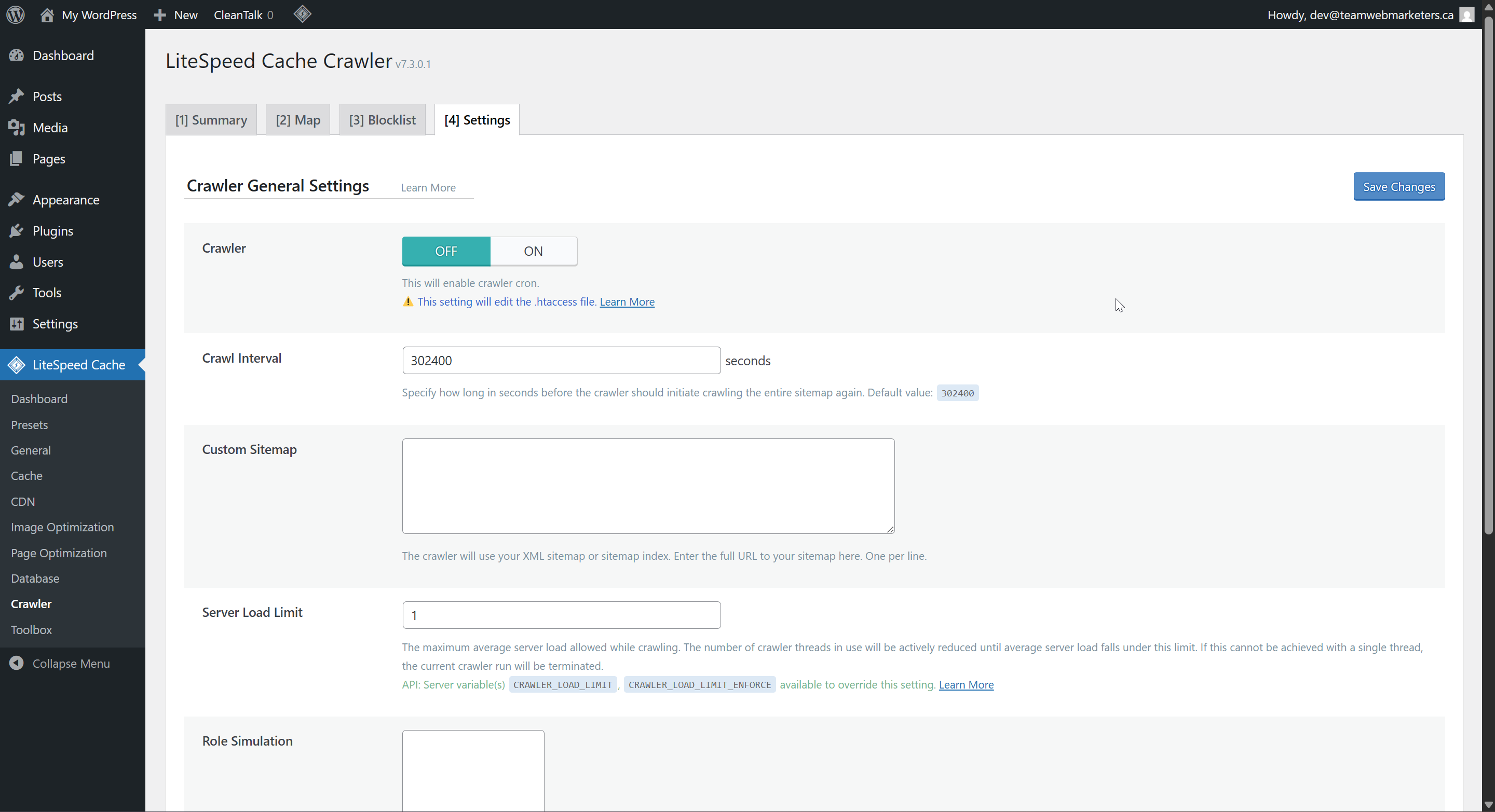
6. Crawler
We can set limits on crawl bots set by search engines in this tool. No default settings need to be set. If you have an e-commerce site that seems to be running slowly, I recommend setting limits. We've seen issues before with WooCommerce sites crashing when they're getting crawled.