Speed Optimizer
What is Speed Optimizer?
The "Speed Optimizer" WordPress plugin by SiteGround is a free, all-in-one performance tool designed to dramatically improve website speed and user experience. It offers powerful caching, frontend and media optimizations, and real-time speed testing to boost SEO rankings and Core Web Vitals. With a user-friendly interface, it enables even non-technical users to apply advanced optimizations like minifying code and compressing images in just a few clicks.
We only use this for websites hosted on SiteGround, since it's required for the cache purge feature.
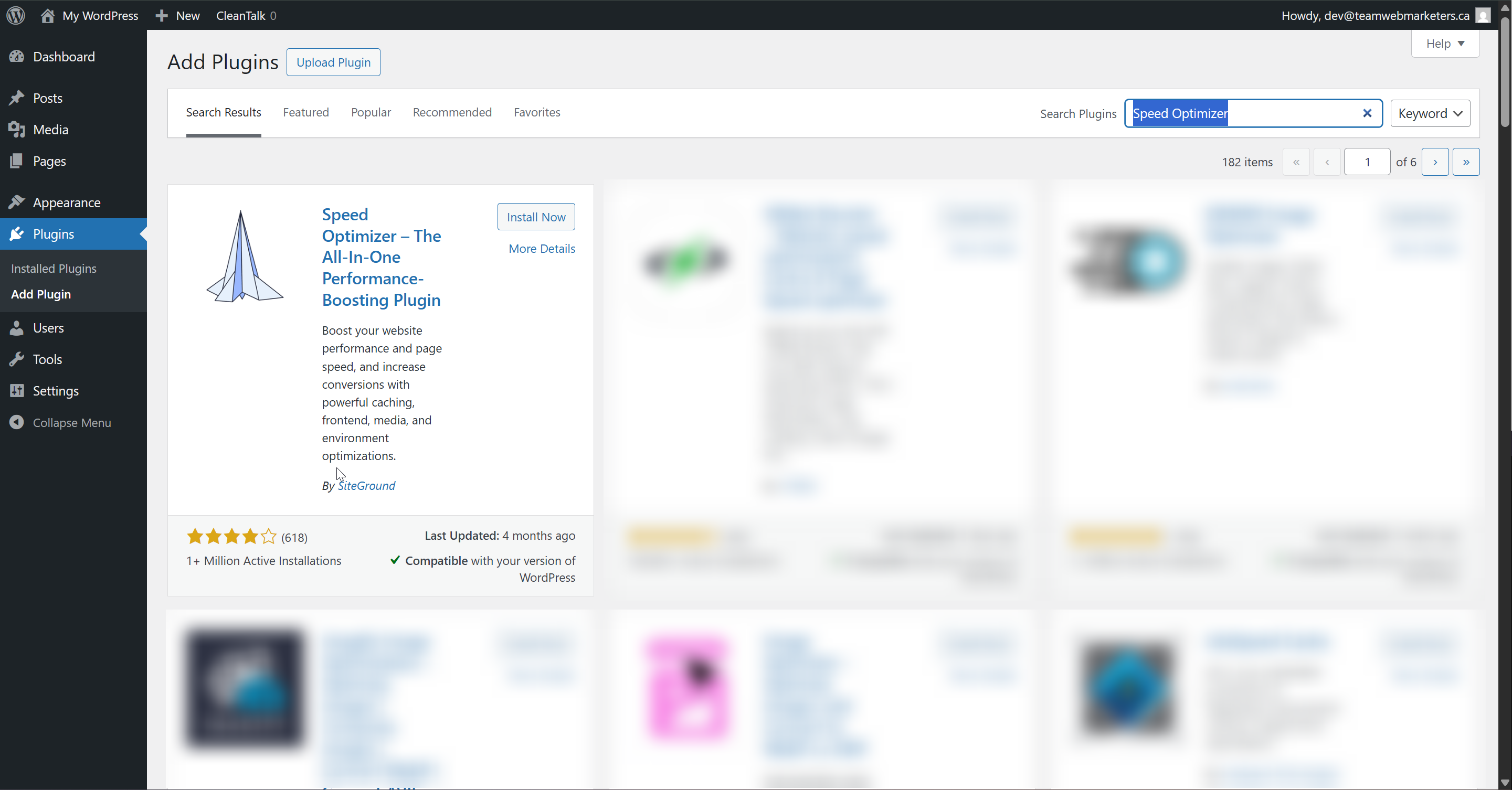
Install & Activate the plugin
Name: Speed Optimizer
Author: SiteGround
What can you optimize?
Just about everything! If you can see it on a website, you can optimize it. That includes CSS, JavaScript, HTML, images, videos, and even the WordPress environment. Using this tool can speed up a website significantly, saving your users seconds on each page load.
Here's how we configure the plugin:
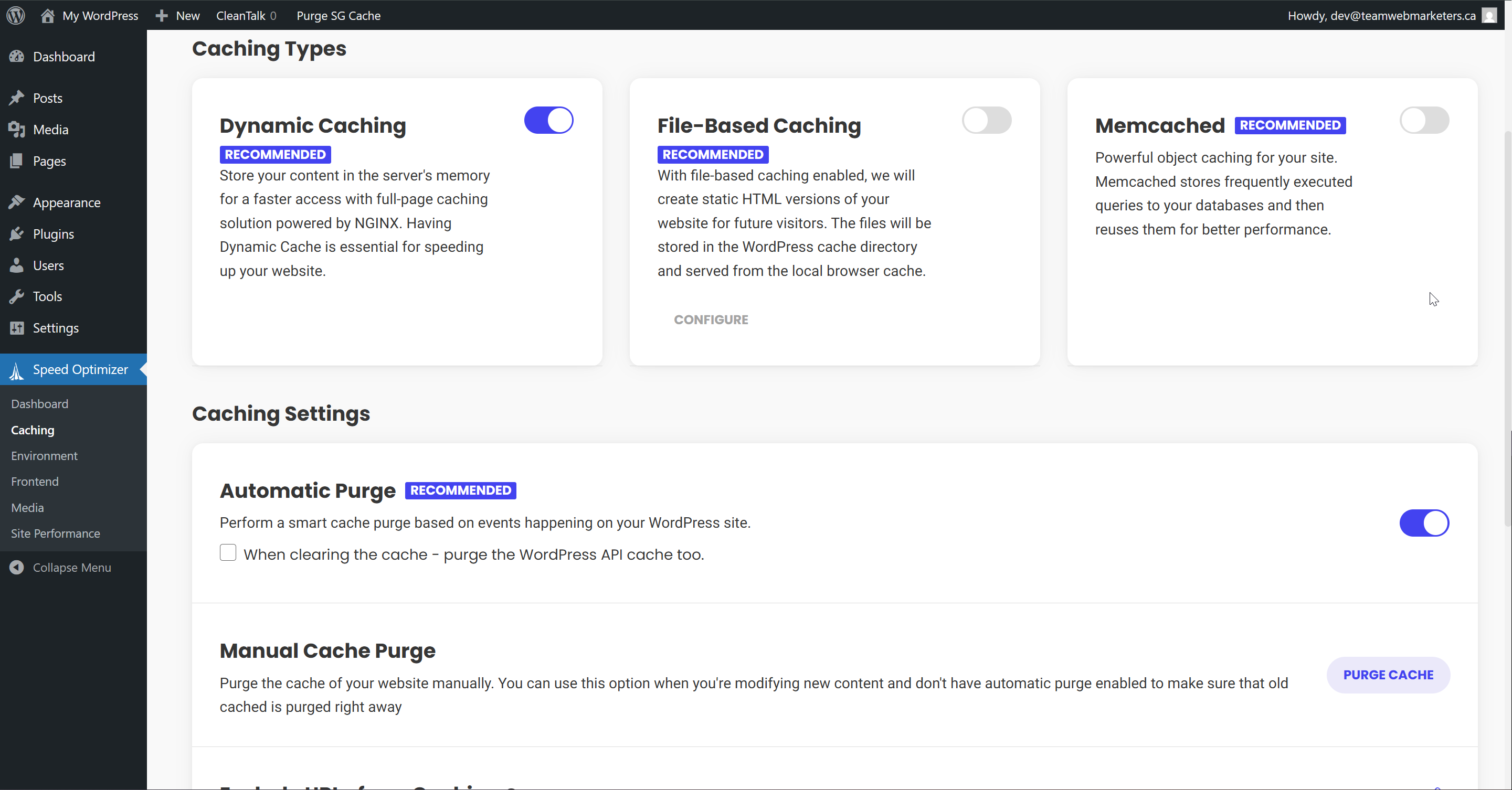
1. Caching
Dynamic Caching: Enabled
Automatic Purge: Enabled
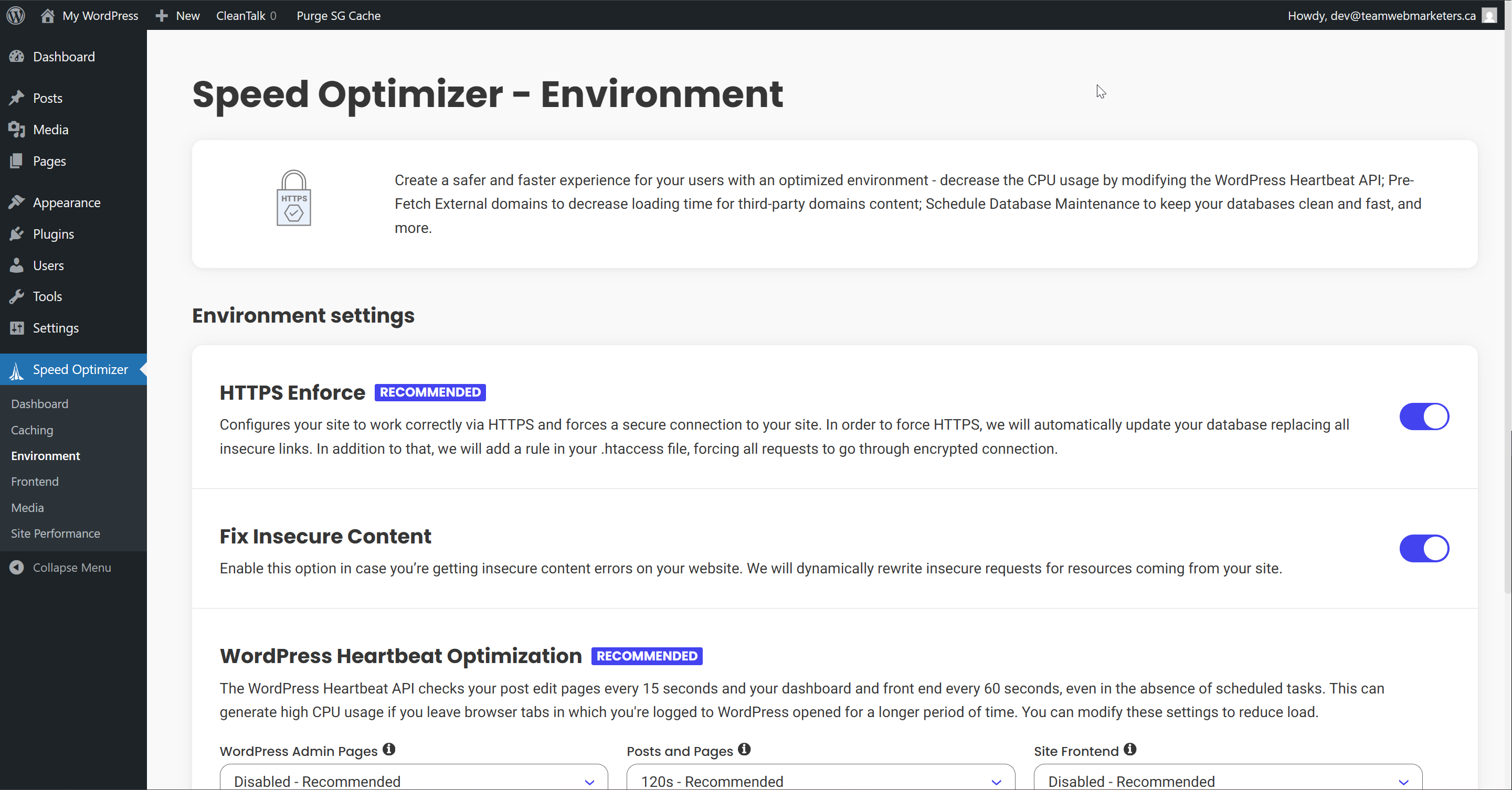
2. Environment
HTTPS Enforce: Enabled
Fix Insecure Content: Enabled
3. Frontend Optimization
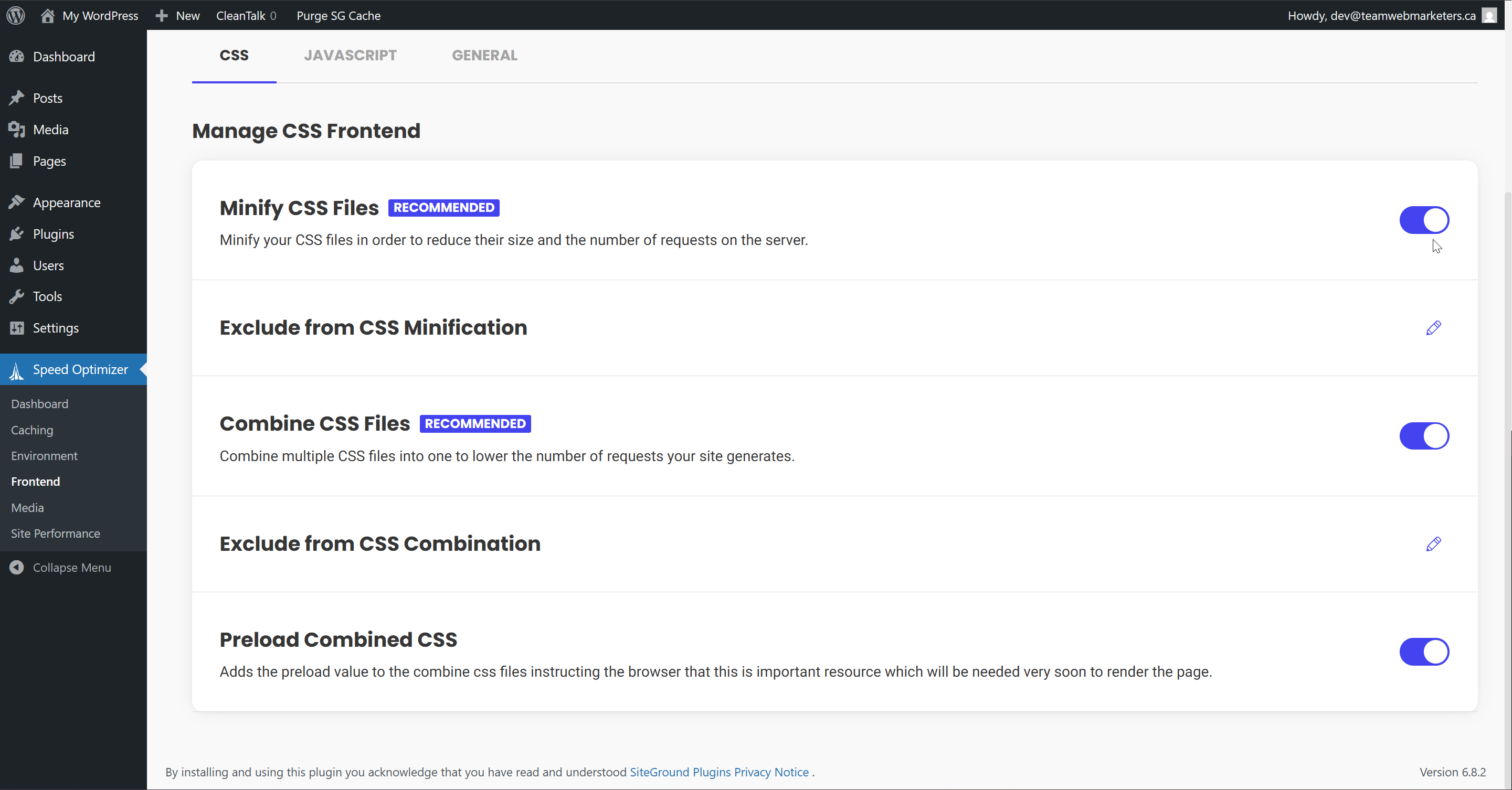
CSS
Minify CSS Files: Enabled
Combine CSS Files: Enabled
Preload Combined CSS: Enabled
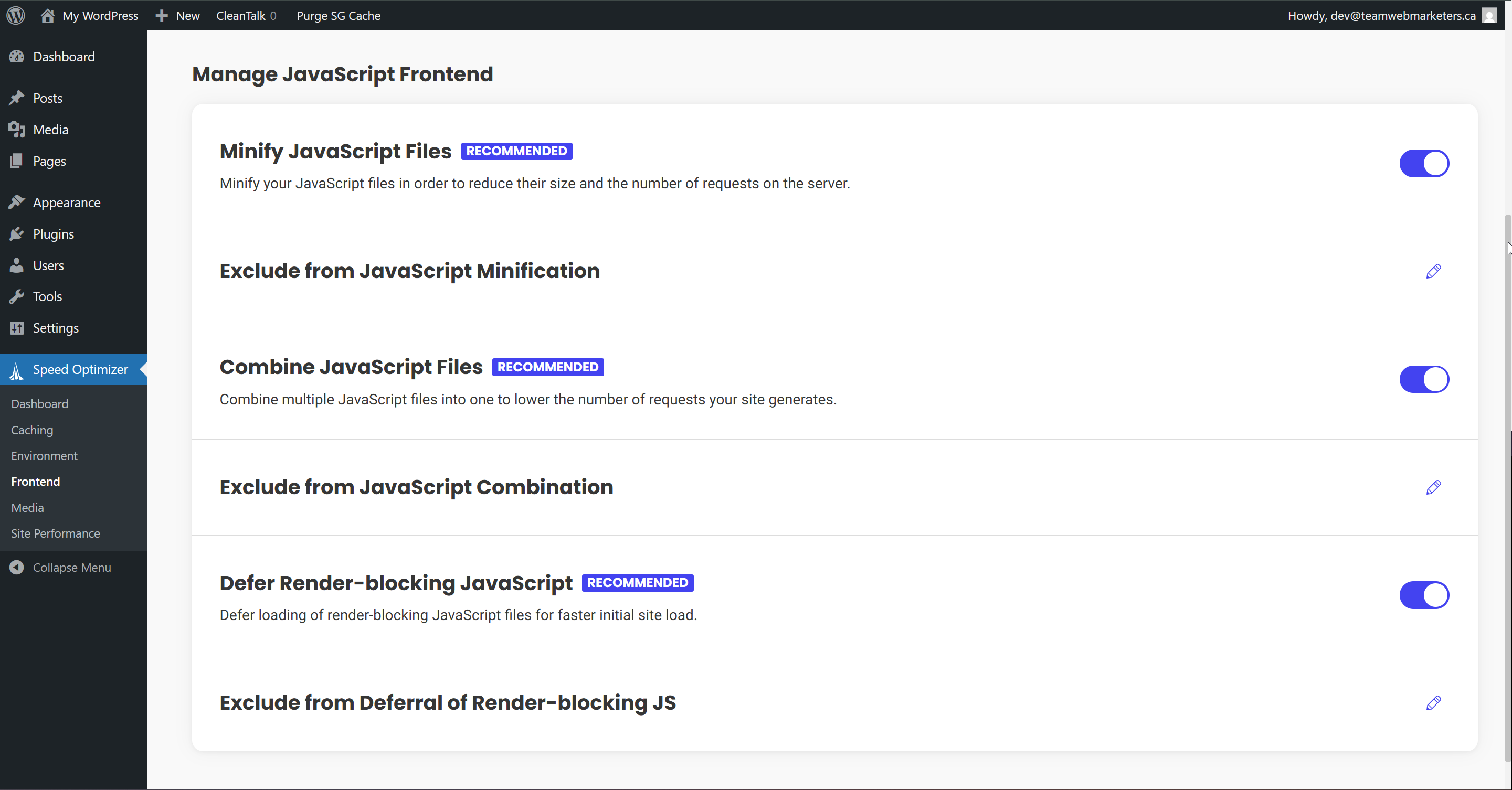
JavaScript
Minify JavaScript Files: Enabled
Combine JavaScript Files: Enabled
Defer Render-blocking JavaScript: Enabled
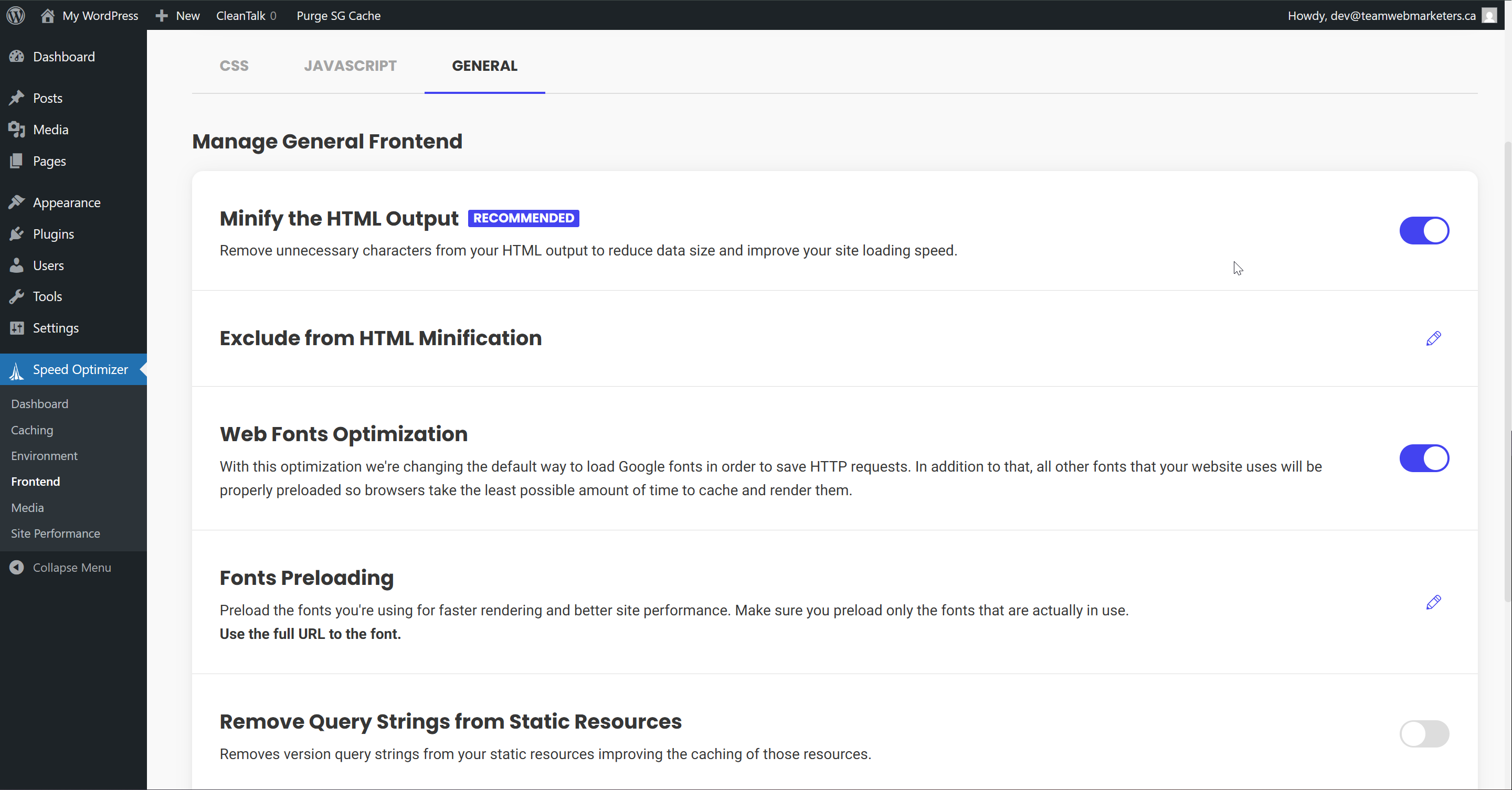
General
Minify the HTML Output: Enabled
Web Fonts Optimization: Enabled
4. Media
Compression Settings
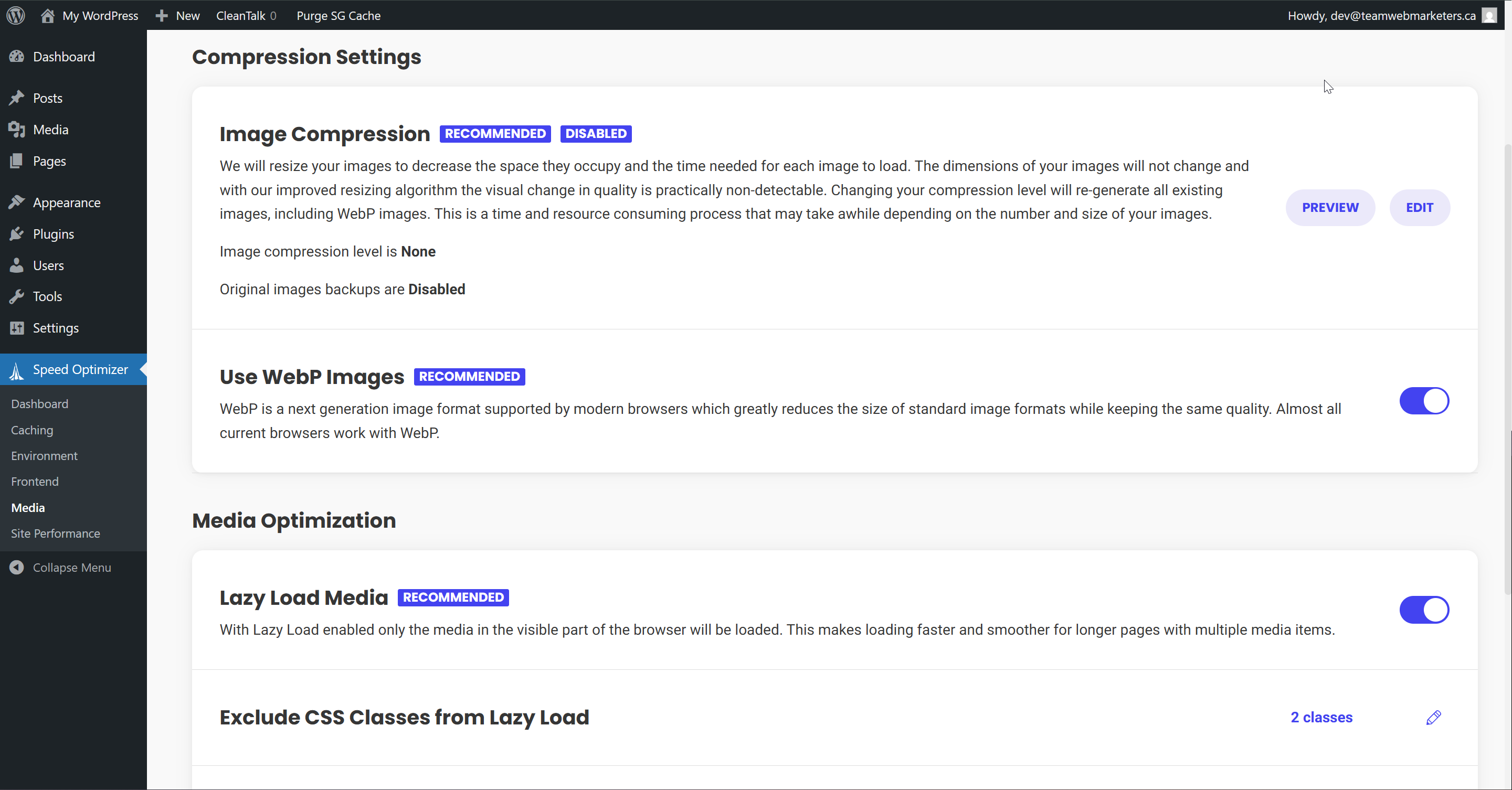
Use WebP Images: Enabled
WebP Compression may take up to 30 minutes if the website has a lot of images that need to be converted to WebP. Usually, expect it to take 5 minutes or less.
Media Optimization
Lazy Load Media: Enabled
This can occasionally cause issues, if you find an image/video isn't showing up, or loads too slowly, try turning this off. It's an optional setting but usually improves performance.